What is PCIe and how to choose it?
Description
In the field of computer hardware, we usually see a word “PCIe” for the motherboard(主板), for example. Here is a note and summary about what is PCIe and how to choose it when we buy computers. The information is collected from the web. Check and support the original posts for full information.
Reference:
- [1]PCI Express: https://en.wikipedia.org/wiki/PCI_Express
- [2]What is PCIe and how does it work?: https://www.lenovo.com/sg/en/glossary/what-is-pcie/?orgRef=https%253A%252F%252Fwww.google.com%252F
- [3]Explaining PCIe Slots: https://www.youtube.com/watch?v=PrXwe21biJo&t=653s
About the PCIe hardware
PCI Express (Peripheral Component Interconnect Express,外部设备快速互联), officially abbreviated as PCIe or PCI-e, is a high-speed serial computer expansion bus standard, designed to replace the older PCI, PCI-X and AGP bus standards. It is the common motherboard interface for personal computers’ graphics cards, sound cards, hard disk drive host adapters, SSDs, Wi-Fi and Ethernet hardware connections. PCIe has numerous improvements over the older standards, including higher maximum system bus throughput, lower I/O pin count and smaller physical footprint, better performance scaling for bus devices, a more detailed error detection and reporting mechanism (Advanced Error Reporting, AER), and native hot-swap functionality. More recent revisions of the PCIe standard provide hardware support for I/O virtualization.[1]
In its simplest form, PCIe is a point-to-point connection between two PCIe compatible devices, typically a motherboard and an expansion card or storage device such as an SSD or hard drive. The connection uses differential signaling to transmit data over separate pairs of copper wires.[2]
To ensure optimal performance and compatibility across multiple devices, the PCIe standard uses different lane sizes(通道尺寸) which can link together two or more components at once depending on their speed requirements. For instance, larger lanes such as x16 are typically used for graphics cards that require lots of bandwidth for high resolution content; while smaller lanes like x1 are reserved for lower speed peripherals like USB ports or SATA ports.[2] Here is a typical PCIe slot from reference [3].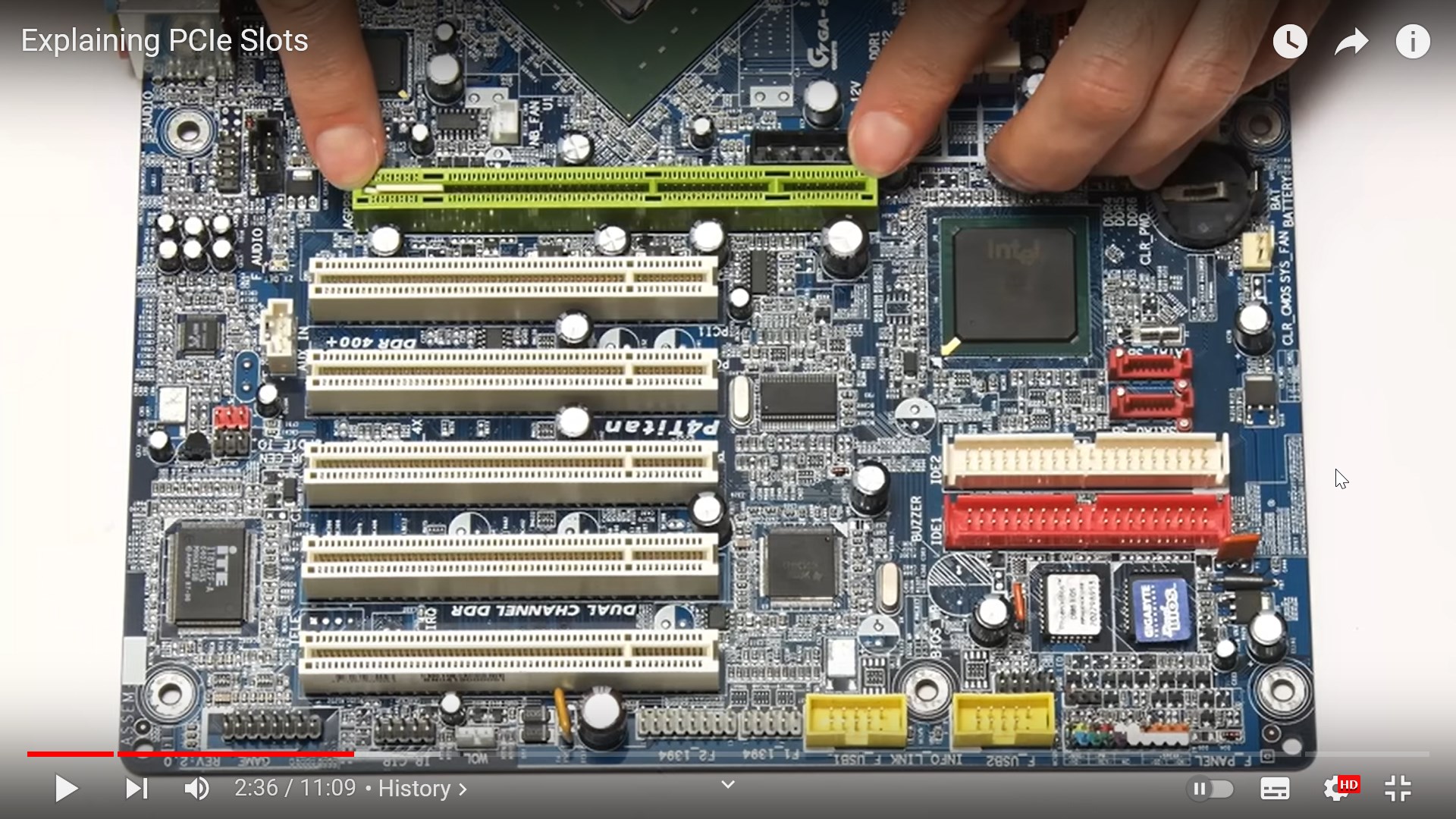
We usually see the name of a PCIe slot as “PCIe 5.0 x16” for example. It means the slot is in PCIe 5.0 standard and the lane size is 16 times the PCIe x1 (usually the larger the slot will be). The higher the standard, the faster the transmission is. Also, the larger the lane size, the more data can be transferred at the same time. Here is a figure showing the concept from ref[3].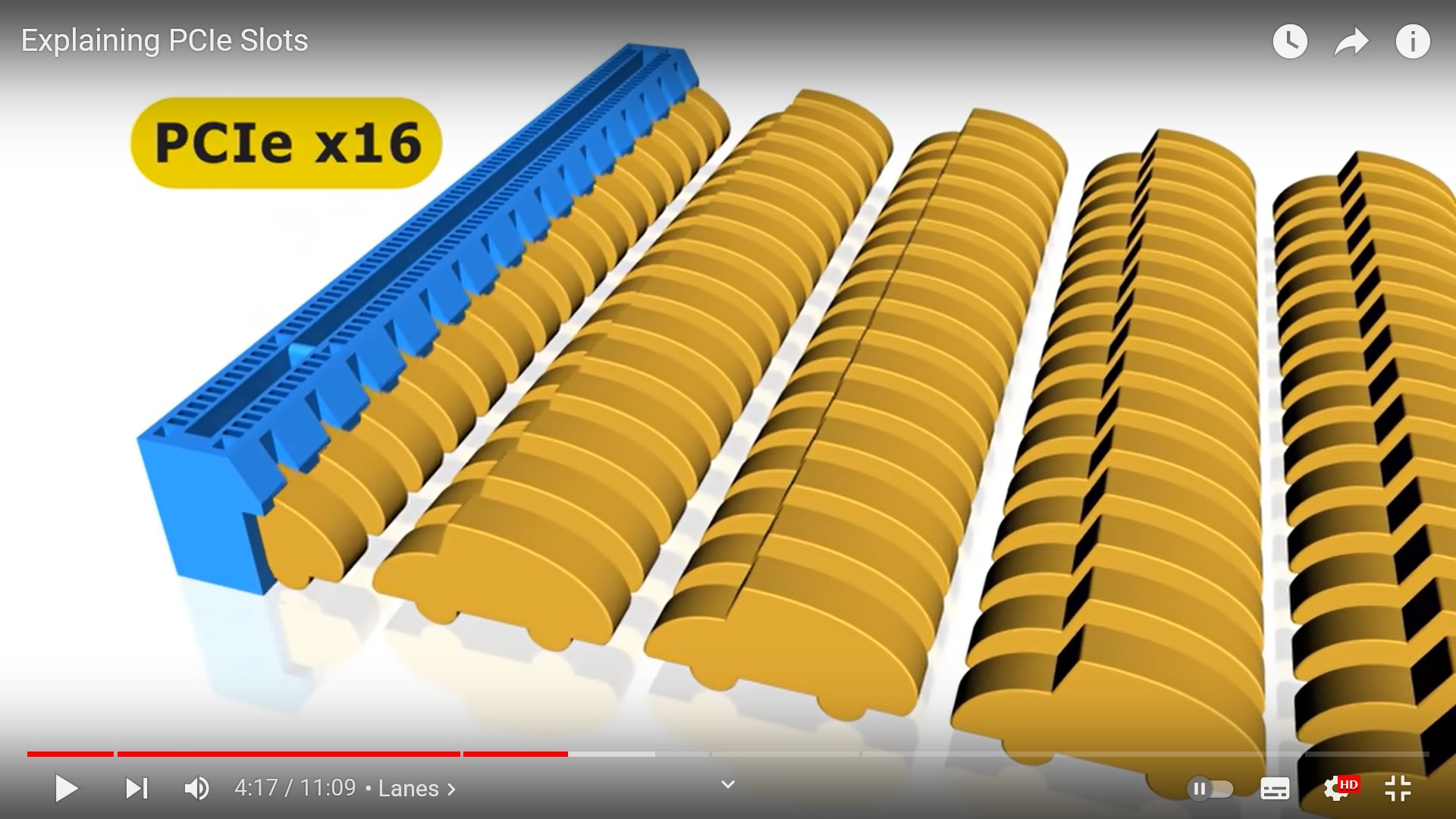
Here is the PCIe standard table and the corresponding speeds[3].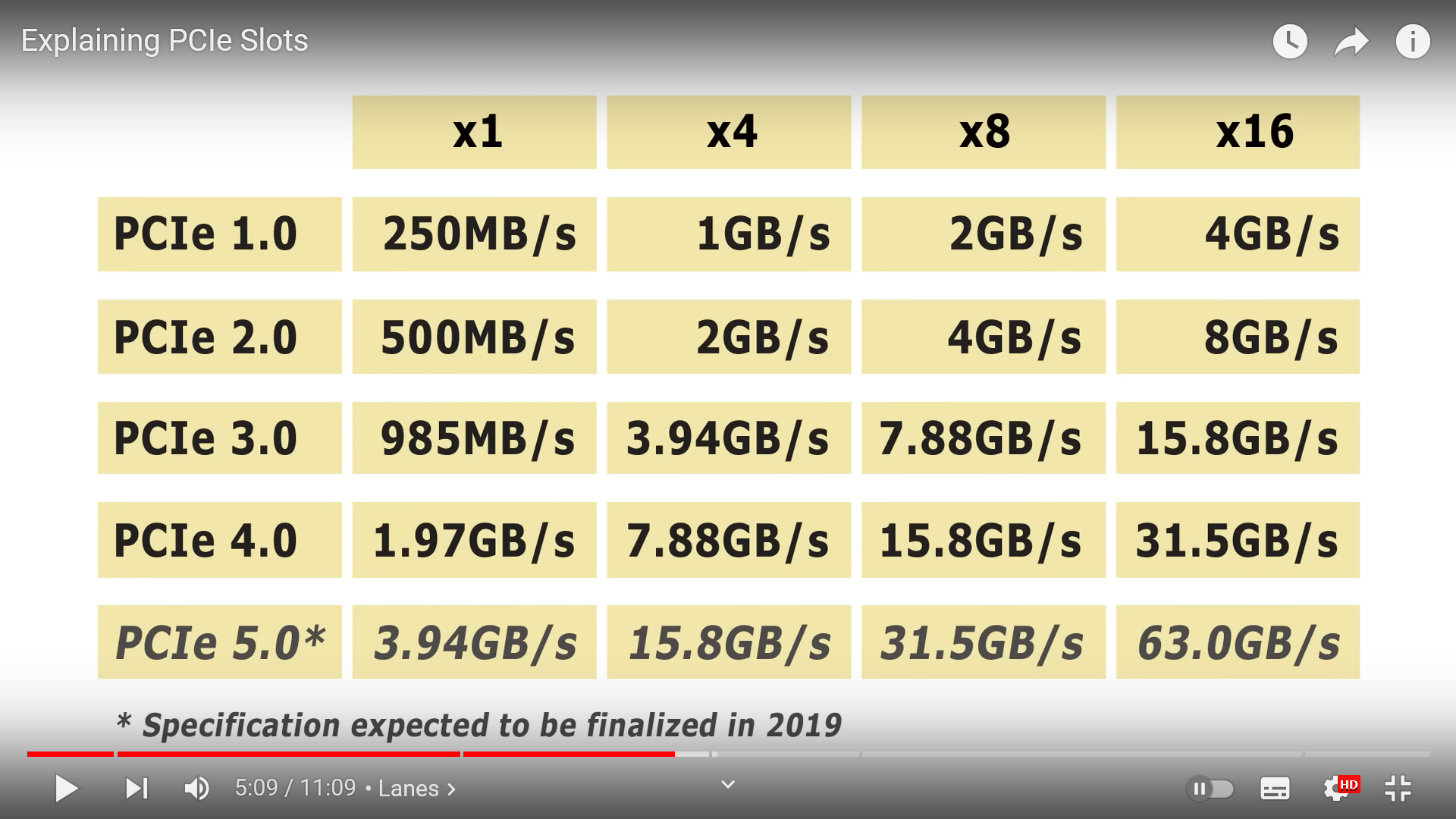
Usually, different PCIe standards are compatible with each other. The data transfer speed is limitted by the lower speed hardware. Note that PCI and PCIe are not compatible with each other. This is because the two protocols(协议) use completely different interfaces that feature different pin configurations as well as varying bus speeds and features – as a result, hardware developed for one protocol will not work properly on the other.
How to choose a PCIe hardware?
As shown above, the higher the standard, the faster the transmission is. Also, the larger the lane size, the more data can be transferred at the same time. Also, different PCIe standards are compatible with each other if needed.